The Windows 11 taskbar has always been more than just a dock for app icons—it’s now becoming a dynamic environment where AI agents can operate with system-level authority. This shift means third-party intelligence won’t just sit passively in the background; it will actively manage tasks like file organization, performance tuning, or even game optimization without requiring separate software. For users accustomed to manual control, this represents a fundamental change in how desktops behave.
Historically, the taskbar served as a static bridge between user and system, offering shortcuts and notifications while remaining largely inert. Today’s update blurs that line by allowing AI-driven tools to integrate so deeply that they function like native Windows utilities. The result could be smoother workflows for power users, but it also means these agents will operate under the same elevated privileges as core system processes—a setup that introduces new risks if security is not rigorously enforced.
The potential benefits are compelling, especially for performance-oriented communities like gamers and content creators. Imagine an AI agent that automatically adjusts background processes to prevent lag during intensive tasks, or one that optimizes storage by analyzing usage patterns without user intervention. These scenarios suggest a future where the taskbar isn’t just a tool but an intelligent co-pilot, adapting in real time to user behavior. However, the lack of transparency around how these agents audit their own actions could leave users in the dark about system changes.
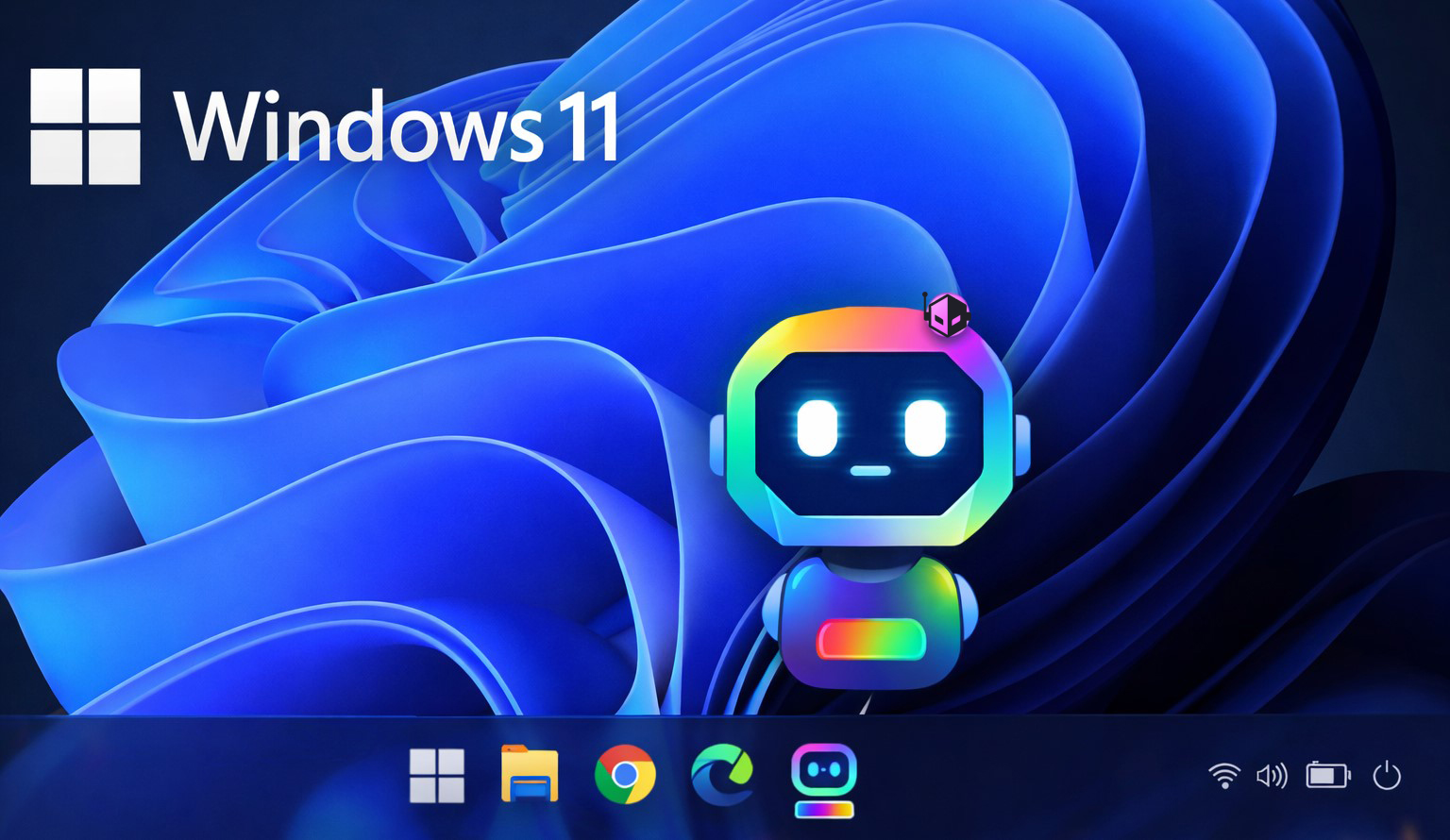
Microsoft has acknowledged the feature’s development but remains tight-lipped on release timelines or pricing models. Given that this is an optional integration—rather than a mandatory update or paid module—it may appeal to early adopters who prioritize cutting-edge functionality over traditional control. Yet, the long-term impact hinges on whether Microsoft can balance innovation with security, ensuring users retain confidence in what could become one of the most transformative desktop features in years.
The transformation doesn’t stop at functionality; it also challenges conventional notions of user agency. If AI agents are making decisions behind the scenes, how will users know when to trust them? Will there be clear indicators to identify which agent is responsible for a change, or will troubleshooting become more complex than ever? These questions don’t have answers yet, but one thing is certain: the taskbar will never look—or behave—the same way again.