Microsoft’s BitLocker encryption, a staple for securing Windows devices, has quietly exposed a critical vulnerability: the company’s default cloud-based key storage system. After a legal request from the FBI, Microsoft provided decryption keys for three BitLocker-protected laptops in Guam—a move that underscores a broader tension between user privacy and law enforcement access.
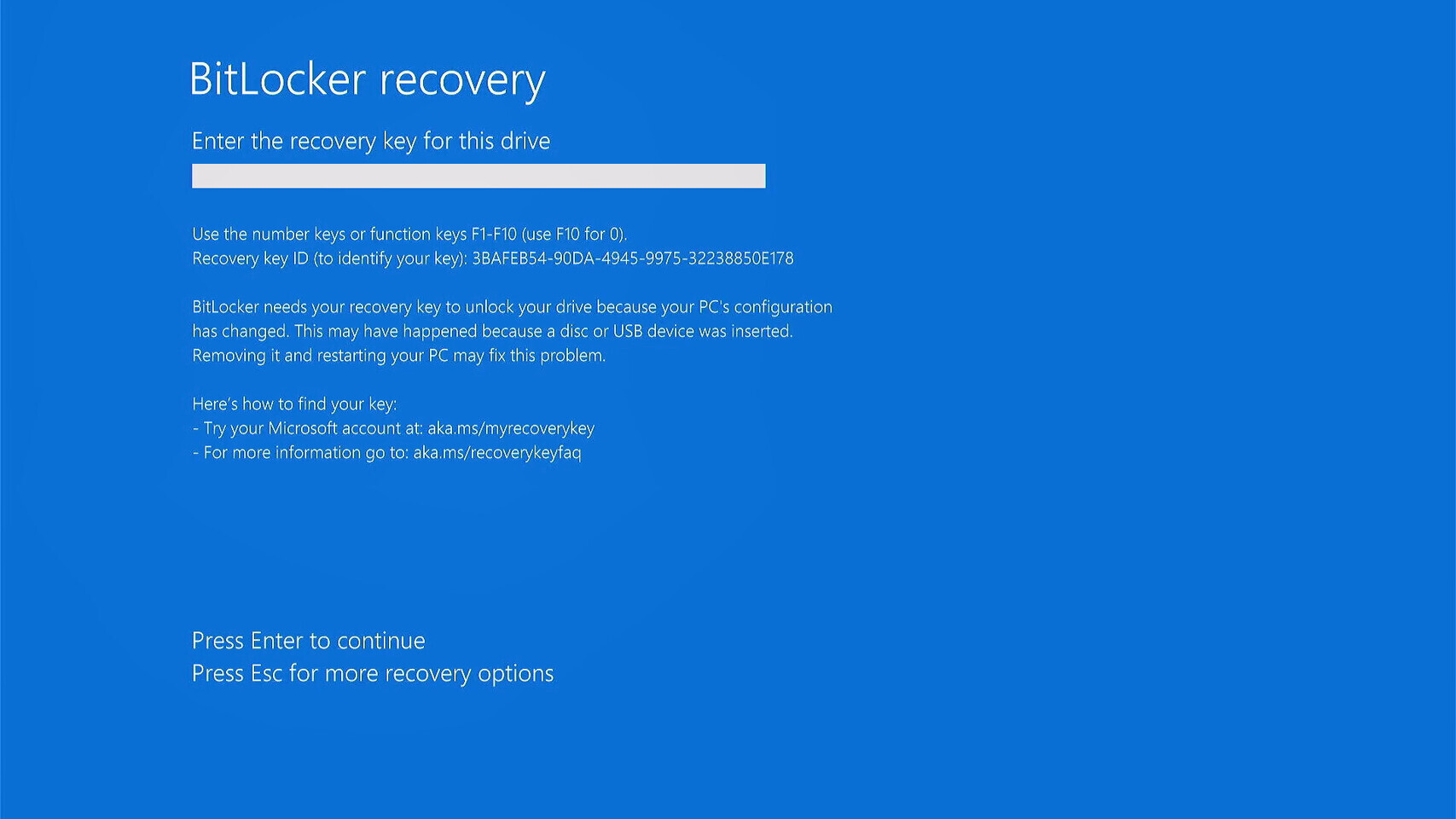
The disclosure comes as a reminder that while BitLocker’s 128-bit and 256-bit AES encryption renders data unreadable without the correct key, Microsoft’s infrastructure now holds the master keys for many users. The company’s spokesperson clarified that customers can opt to store keys locally, but by default, recovery keys are uploaded to Microsoft’s cloud—meaning they can be accessed if authorities present a valid warrant.
The Cloud Backup Catch
BitLocker’s design relies on two encryption layers: one for the drive itself and another for the recovery key. For years, users could choose between storing the key locally (on a USB drive or in a password-protected file) or trusting Microsoft’s cloud service for recovery. The latter was marketed as a convenience—allowing users to regain access if their device failed or their local backup was lost. But this convenience comes with a hidden cost: government agencies can request these keys when investigating serious crimes.
The FBI’s request targeted three laptops in Guam, where BitLocker’s cloud-stored keys were the only viable path to unlocking the data. Microsoft’s compliance with such requests is not new—tech companies routinely assist law enforcement under legal orders—but the BitLocker case stands out because it involves full-disk encryption, a feature often touted as the gold standard for data protection.
Who’s at Risk—and How to Opt Out
Not all users are affected equally. Those who manually configured BitLocker to store recovery keys locally—whether on a USB drive, printed sheet, or encrypted file—remain shielded from this risk. However, the default behavior for many Windows users, especially in enterprise or managed environments, is to rely on Microsoft’s cloud backup. Without explicit action, these keys are accessible to the company and, by extension, authorized government entities.
To mitigate the risk, users should
- Check key storage settings: Navigate to
Control Panel > BitLocker Drive Encryption > Manage BitLocker on This PCand verify whether recovery keys are stored in Microsoft’s cloud or locally. - Save a local copy: If cloud storage is enabled, generate a recovery key and store it offline—on a password-protected USB drive or in a secure digital vault.
- Disable cloud backup: For maximum privacy, disable the cloud recovery option entirely and rely on manual backups.
This shift also raises questions about corporate policies. Many businesses use BitLocker to secure sensitive data, but if keys are stored in Microsoft’s cloud, IT administrators must weigh the convenience of centralized recovery against the potential for unauthorized access.
A Contrast with Apple’s Approach
Microsoft’s stance contrasts sharply with Apple’s long-standing refusal to provide backdoors or decryption keys, even under court orders. The 2016 FBI vs. Apple case became a defining moment in the tech industry’s privacy debate, with Apple arguing that weakening encryption would compromise security for all users. Microsoft’s BitLocker system, while not a backdoor, effectively creates a parallel path for government access—one that users must actively opt out of.
The disclosure serves as a wake-up call: encryption is only as secure as its weakest link. For BitLocker users, that link may now be Microsoft’s cloud servers. The choice to trust them—or to take control—has never been more critical.