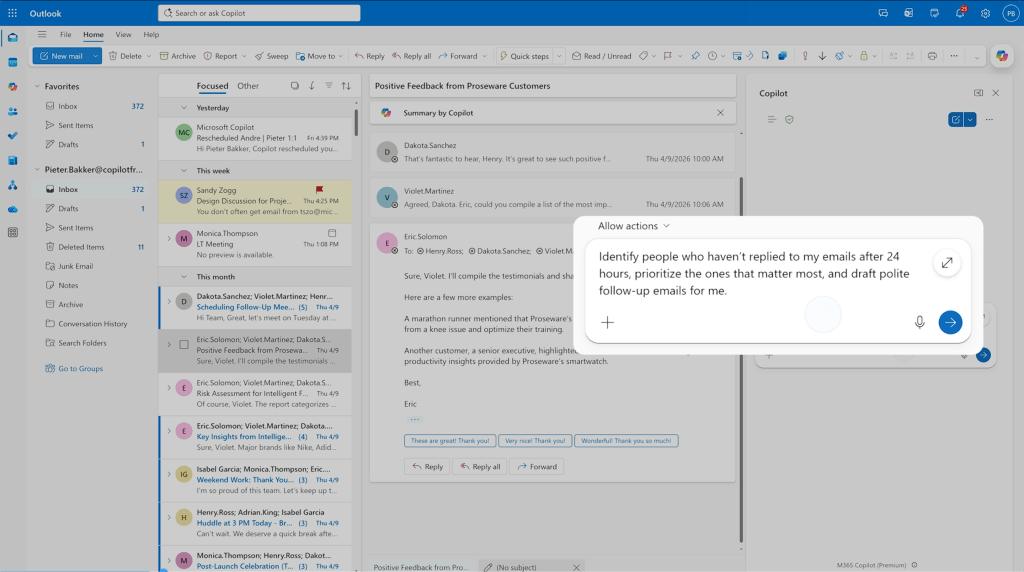
Outlook is undergoing a transformation that could reshape how professionals interact with their inboxes and calendars—but whether it will deliver on its efficiency promises is still unclear.
The latest update introduces AI agents that take on more of the routine tasks associated with email and calendar management. These tools, which are being rolled out gradually over the next few weeks, represent Microsoft's push to match Google's advancements in AI-powered productivity within Gmail. However, there are concerns that without a broader integration across systems, these features may not provide the meaningful efficiency gains users are looking for.
AI in action
The update brings three new AI-driven tools to Outlook
- AI Scheduler: This tool analyzes the availability of meeting attendees and suggests optimal times, potentially reducing the often time-consuming process of scheduling meetings.
- AutoReply Agent: It generates context-aware out-of-office messages and follow-up emails when users are unavailable, adapting its tone based on the recipient or situation.
- Smart Inbox: Using machine learning, it surfaces the most important emails first, aiming to reduce clutter while ensuring critical messages aren't overlooked.
A fourth feature, 'Focused Inbox,' categorizes incoming emails into tabs labeled 'Important,' 'Newsletters,' and 'Low Priority.' However, early indications suggest these tools operate independently rather than as part of a unified AI ecosystem, which could limit their effectiveness in handling complex workflows.
Keeping up or falling behind?
Microsoft is not the first to bring AI to email productivity. Google has already embedded similar capabilities into Gmail, and Outlook's relatively limited integration with third-party apps could hinder its appeal for users managing multiple tools. For those juggling tight deadlines across various projects, the true test will be whether these agents can adapt to nuanced scenarios—such as negotiating deadlines or coordinating cross-team dependencies—rather than just handling routine tasks.
Industry analysts note that while the AI Scheduler and AutoReply are effective for basic workflows, they may struggle with more sophisticated demands. Without deeper customization options, their impact could remain marginal, leaving users to question if Outlook is simply adding another layer of automation without addressing core inefficiencies.
The update does not yet include a full-fledged AI assistant mode, but Microsoft has hinted that future versions will expand agent capabilities. For now, the focus remains on incremental improvements—small tweaks that could add up for power users but may not revolutionize productivity overnight.
Outlook's standing: The new AI features represent a step forward, but their effectiveness hinges on how well they integrate with existing tools and adapt to real-world demands. Users will need to wait and see if Microsoft can bridge the gap between hype and practical utility—or if these agents become just another productivity gimmick in an increasingly crowded market.