Windows 11 is evolving beyond its familiar interface, adopting a more refined aesthetic that merges traditional design language with modern visual cues. Rounded corners, fluid animations, and a cohesive layout give the system a fresh yet instantly recognizable feel. However, the most significant changes are happening beneath the surface, where Microsoft is prioritizing native applications to enhance speed, efficiency, and responsiveness in everyday tasks.
Native apps have always offered performance advantages over web-based alternatives, but Microsoft is now integrating them more deeply into the operating system. This shift isn’t just about raw speed—benchmarks suggest these apps can reduce latency by up to 30% compared to their web counterparts—but also about creating a more seamless experience for users. Whether navigating file systems, editing media, or managing productivity workflows, native applications promise smoother interactions with fewer interruptions.
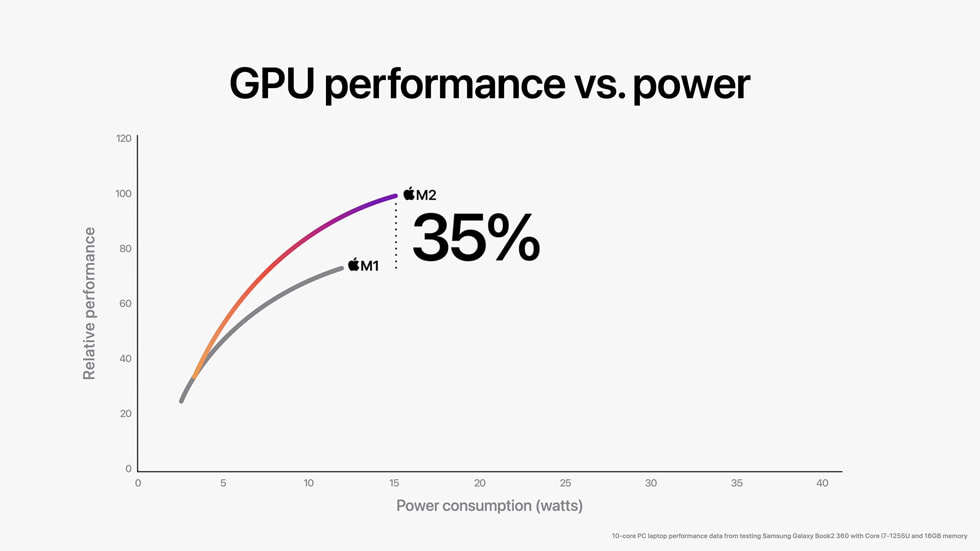
The push toward native apps reflects broader trends in the tech industry, where developers increasingly favor platforms that offer direct hardware access without the overhead of web layers. For Microsoft, this means tightening integration between Windows 11 and modern software stacks, particularly in areas like AI workloads, where thermal efficiency and performance-per-watt metrics are becoming critical. If successful, this approach could position Windows 11 as a leader in both consumer and enterprise markets.
Users will notice the changes not only in performance but also in the system’s visual language. The new UI introduces subtle refinements—softer edges, smoother transitions, and a more unified look across system dialogs—that make Windows 11 feel less like an outdated platform and more like one that’s actively adapting to modern computing demands. These updates are designed to be incremental but impactful, avoiding the pitfalls of overhauling what works while still pushing the system forward.
Looking ahead, Microsoft is expected to roll out additional native app experiences in the coming months, alongside further UI refinements. The goal isn’t just to match competitors but to redefine what a modern operating system can achieve—balancing performance, usability, and innovation without sacrificing the stability and reliability that have long been hallmarks of Windows.