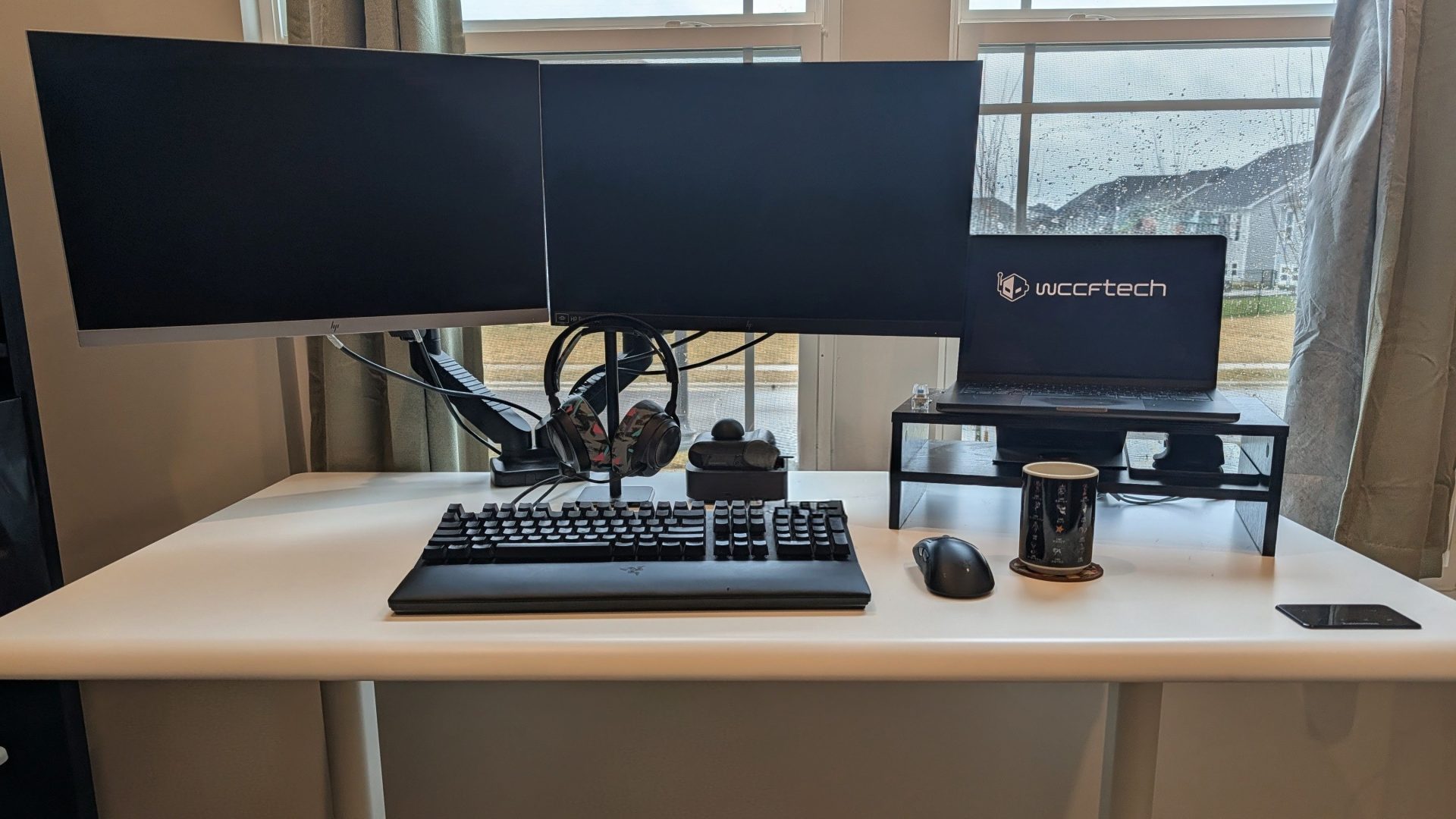
9.0 Autonomous Desk 5 Pro and ErgoChair Ultra Review – Clean and Professional Kai Tatsumoto • at Product Info Autonomous Desk 5 Pro and ErgoChair UltraApril 2025 TypeStanding Desk Price$699 (ErgoChair Ultra $599) Over the past few months, I’ve been shopping around for a first home, and one of the requisites was to have a dedicated office space. Fast forward to November 1st of this year, and my wife and I signed the final documents to get the keys to our new home. Autonomous actually reached out to us much earlier in the year and sent samples of both their Desk 5 Pro and ErgoChair Ultra (in black and white to match the logo), but remained sealed in a box until I finally had the space to install a brand new desk. This was one of two desks I put together over the past couple of weeks (the other being Blacklyte’s much larger standing desk) to help bring my ideal home office to life. The ErgoChair Ultra came with a manual consisting of only four steps. Step one is the typical installation of the five rolling casters onto the chair base and the gas pump. Step two involved sliding the seat back onto the chair itself; this is where Autonomous pleasantly surprised me by including a chair base that already had the arms and adjustment levers installed. This is typically the part that takes me the longest, having to align the chair arms or lift actuator and screw them in, which can be a cumbersome and awkward process if you don’t have an ideal working surface on hand (since I assembled the chair first, all of this was done on my floor). Step three was as simple as attaching the headrest and post to the back of the chair; the screws are located on the inside of the chair back and require a fair bit of manual dexterity to squeeze your wrist in there and use the included Allen wrench to affix the two together. If you have thicker wrists or limited mobility in twisting and rotating in a narrow space, this is a step that would require a second person to complete. I would have preferred to see the screws on the outside of the chair back and perhaps a couple of plastic covers. That being said, the aesthetic of a clean chair will be appealing to most, and the entire chair is devoid of branding or attachment points save for a single Autonomous badge on the lower back. This is certainly a worthy successor to the ErgoChair 2 reviewed back in 2019. Related Story DXRacer Craft Series Chair Review – Make it YoursAssembling the chair took no more than ten minutes, from cutting the packaging tape on the box, unboxing, laying everything out on the floor, and photographing the process. Autonomous has really created one of the smoothest chair assemblies I’ve done to date, and that is definitely a premium worth paying a little extra for. What prevents this from being a perfect chair to recommend are two issues related to the assembly of the ErgoChair Ultra. I’ve already highlighted my concerns with the headrest screws above, but the other might be a little more pressing. When installing the seat back with the base, there are eight screw points needed to affix the two together: four Phillips screws and four bolts that require the included Allen wrench. Two of the bolts refused to screw in neatly, and I had removed them and swapped them around, thinking that perhaps I had crossthreaded them during the initial install, but I had the same result on two of the four bolt holes. As such, two bolts are snugly installed all the way to the base, while the other two protrude from the base of the chair, with about a centimeter of actual threading completed. The fourth and final step is simply sticking the pre-assembled chair onto the wheel base and really needs no explanation. I’ve used the chair frequently over the past couple of months, and even with exaggerated hip swaying or frequent standing breaks to get out of the chair, the ErgoChair Ultra shows no signs of structural degradation, but I’ll gladly come back to this and update the review if any changes. For customization, the ErgoChair Ultra has four different levers in addition to the 4D armrests that can be slid outwards, forwards, and backwards, and tilted either inwards or outwards depending on your comfort. I’ll always mark a chair up for high points if it has inward tilting arms that give my forearms better support while I’m remote playing my console on the PlayStation Portal. On the left side of the chair, you have your tilt lock that lets the user recline freely and then lock the position simply by pushing the lever downwards. On the right side is a combination lever that controls the seat height as well as a rotating plastic crank that adjusts the tension for reclining. There’s a small squeeze lever to adjust, moving the seat away from or back towards the chair back, depending on the end user’s preferred level of comfort and leg length. Overall, the ErgoChair Ultra has been a perfect addition to my dream office, bolt and fiddly bits aside. Having a mesh backing will certainly help during the humid summer months here in Ohio. The chair’s seat doesn’t have much in terms of padding for your behind, but the coiled springs help absorb any weight and provide a comfortable seating experience for those eight-hour days of day trading or playing Call of Duty. I only wish I had gotten my butt in this chair sooner. As is typical for most desks on the market for end-users, the Autonomous Desk 5 Pro came in two separate boxes: one for the desk top and a second, much heavier parcel containing all of the hardware. If you’re considering whether or not these boxes would fit in your compact car, I was able to get the Desk 5 Pro hardware and ErgoChair Ultra (still in box) over to the new office in the backseat of my wife’s Subaru Crosstrek. The desk top probably could have been strapped to the roof, but we waited until we had a moving crew and a box truck to get the bulkier piece shipped over. Across these multiple trips, the outer boxes for Autonomous’s office gear did get visibly scuffed up, but thankfully, all of the parts inside were unboxed in pristine condition. Naturally, the assembly of Autonomous’s Smart Desk 5 Pro was far more involved than that of their ErgoChair Ultra counterpart. Because everything to assemble the desk legs and base comes in the same flat box, some assembly is required to get the legs and brackets all assembled to the center rail into something resembling the bottom half of a desk. Nearly fifty bolts and screws are needed to assemble the finished product, but Autonomous’s instructions guide the user along in simple steps with clear instructions and pictures of all of the mounting points. From beginning to end, this desk took closer to forty-five minutes without any of the hitches of poorly threaded bolts. Cable management is often an oversight for some table makers and either offer it as a paid accessory or not at all, leaving it to the end user to keep their workspace clean. The Autonomous Desk 5 Pro's solution is a swing-down cable tray hiding ample cord storage as well as a three-outlet extension cord (with two additional USB ports). For those that might only need two ports, namely for a laptop and desk lamp or second monitor, this arrangement is perfect, namely because you can hide the power cord for the Autonomous Desk 5 Pro here as well and have only a single white cord run from the desk to wall outlet. For those like me who run a two-monitor setup, I was instead stuck with a black cord running out from the backside of the desk as well, but it was yet another minor sticking point that won’t apply to most. The swinging storage tray is held closed by two thumb screws that do require some dexterity to hold the tray closed with one hand while screwing in with the other, but if you’re the kind to plug in and forget, this is something you’ll only need to worry about the first time. What I would list as a sore spot for the Autonomous Desk 5 Pro are the pair of orange headphone holder hooks that easily slide into dedicated slots on either short side of the desk. Not only are these noisy and undersized, but they also tend to just fall out onto the floor any time you take your headphones off the mount. If there was some sort of locking system or pressure to keep the hanging hooks in place, it wouldn’t bother me, but I was tired of picking up the hooks regularly. Even just making the hook a few millimeters longer to hang more securely in the slot might be enough to keep it intact without constantly hitting the floor. If you’re looking for a new desk, whether it’s a gift to stick under the tree (more like put your tree on top of) or an upgrade for the office, I can’t recommend Autonomous’s Desk 5 Pro and ErgoChair Ultra enough. Quirks with the bolts not fully seating aside, Autonomous has made the entire process from beginning to end one of the most straightforward installation pieces I’ve done before. There’s always room for improvement in the field of office furniture, but I’m satisfied with what Autonomous has created and am eager to see what’s to come in 2026. [ ’s Note: Review samples were provided by Autonomous for the purpose of this review.] You can find additional information about our hardware review process and ethics policy here. 9.0 RATING There's a good reason that Autonomous' desks have been popping up all over the Meta and Nvidia campuses: a clean looking presentation, a smooth height adjustment, and all-day comfort. Pros Included cable management tray can hide all of your bulky computer cables Height adjustment panel nearly flush with the table top and prevents accidental touches Single cord if utilizing the cable management tray for your computer and other devices Supreme comfort for all-day work and play in the ErgoChair Ultra Currently on sale for $200 off Cons Orange accessory hooks fall out with as much as a gentle tap Screw threading could use a second QC pass for longterm stability While relatively easy to set up, some steps could use a second set of hands More expensive than your average entry level desks like Flexispot's E7 Buy for from Amazon The links above are affiliate links. As an Amazon Associate, .com may earn from qualifying purchases. Further Reading Flexispot Oka Office Chair BS9 Review – Comfortable and Supportive The AndaSeat T-Pro 2 Series Gaming Chair Offers High Durability and Some Impressive Features! Argo’s Partnership With Ford and Volkswagen Charts a New Path to Profitability for Autonomous Driving Companies ErgoChair 2 – Goodbye Gaming Chairs Read all on Autonomous Desk 5 Pro and ErgoChair Ultra Review – Clean and Professional