A critical update to 1Password’s browser extension is now prompting users to pause and verify a website’s authenticity before allowing password pastes—an explicit defense against phishing schemes that exploit manual credential entry.
Unlike auto-fill protections, which already block credential insertion on unrecognized sites, this new feature targets the human element: the act of manually pasting a password into a login field. A pop-up now intervenes, demanding confirmation that the site is legitimate. The interruption, though brief, could deter attackers who rely on urgency or deception to trick users into entering credentials on spoofed pages.
The feature builds on 1Password’s existing safeguards but addresses a persistent gap. Auto-fill blocking has long thwarted automated attacks, but phishers often design pages that mimic legitimate logins, forcing users to type or paste credentials manually. This update forces an extra step—verification—before credentials are accepted, adding friction for attackers while maintaining convenience for legitimate users.
The system is simple: when a user attempts to paste a saved password into a login field, the extension checks whether the site matches a known, trusted entry in 1Password’s vault. If it doesn’t, a prompt appears, asking the user to confirm the site’s legitimacy. The design assumes that legitimate logins are pre-linked in the vault, while phishing sites—being imposters—won’t trigger an automatic match.
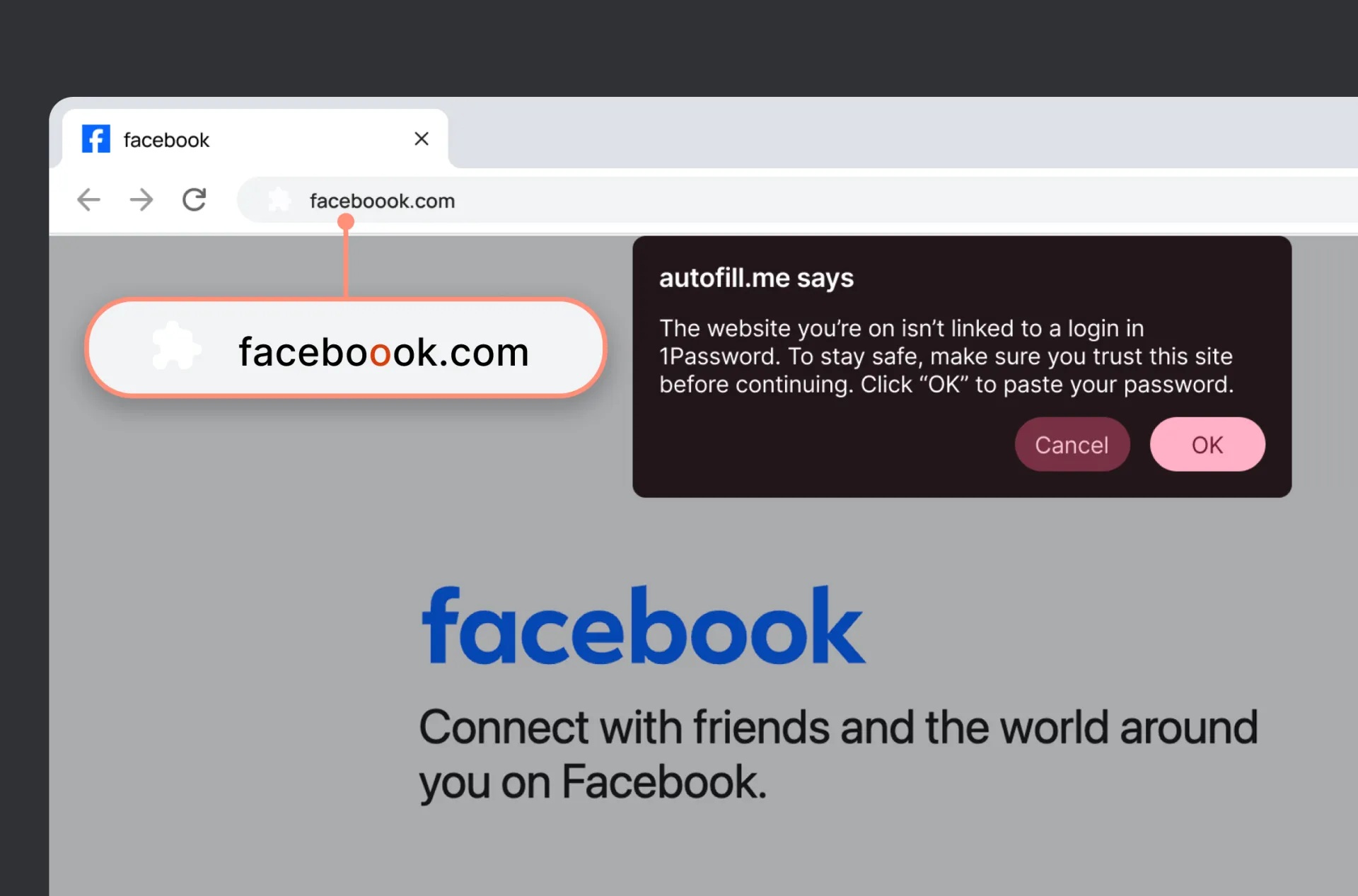
This isn’t just about blocking access; it’s about creating a moment of hesitation. Phishing attacks often rely on speed and deception, and even a two-second pause can break the chain. The feature is already active in the latest version of the browser extension, accessible through the settings menu.
This update is particularly valuable for users who frequently encounter phishing attempts—whether through targeted emails, malicious ads, or compromised sites. While 1Password users already benefit from secure vaults and auto-fill protections, the manual paste scenario was a known weak point. High-risk groups, such as business professionals or individuals managing multiple accounts, now have an additional layer of defense.
For everyday users, the change may feel minor, but the underlying principle is significant: security tools must evolve beyond passive protection. By forcing a deliberate check, 1Password is shifting the burden from reactive blocking to proactive verification—a smarter approach in an era where phishing attacks grow increasingly sophisticated.
The feature is available now for all 1Password browser extension users, with no additional cost or setup required beyond enabling it in the extension settings.