Windows 11’s search function is failing its most basic test: speed. Users report that even simple queries—like searching for a file or app—can take up to 20 seconds to return results, a delay that undermines productivity and frustrates power users who rely on quick access to system resources.
At the root of the problem is how Windows 11 handles search indexing. Unlike previous versions, which prioritized real-time performance, this iteration appears to be balancing speed against deeper, more thorough scanning. The tradeoff? While it may improve accuracy over time, the immediate cost is a noticeable lag that disrupts workflow.
Microsoft has acknowledged the issue but remains tight-lipped about the exact cause. Industry observers suggest the delay could stem from increased background processing, possibly linked to Microsoft’s push for more integrated search results—such as web snippets or AI-driven suggestions—within the OS. If confirmed, this would mark a shift in how Windows manages search, prioritizing richness over responsiveness.
What’s Behind the Slowdown?
The slow performance is not uniform. Some users report that searches for system files (like documents or images) are particularly affected, while others note that app searches remain faster. This inconsistency points to a deeper issue in how Windows 11 partitions search tasks across different layers of the OS.
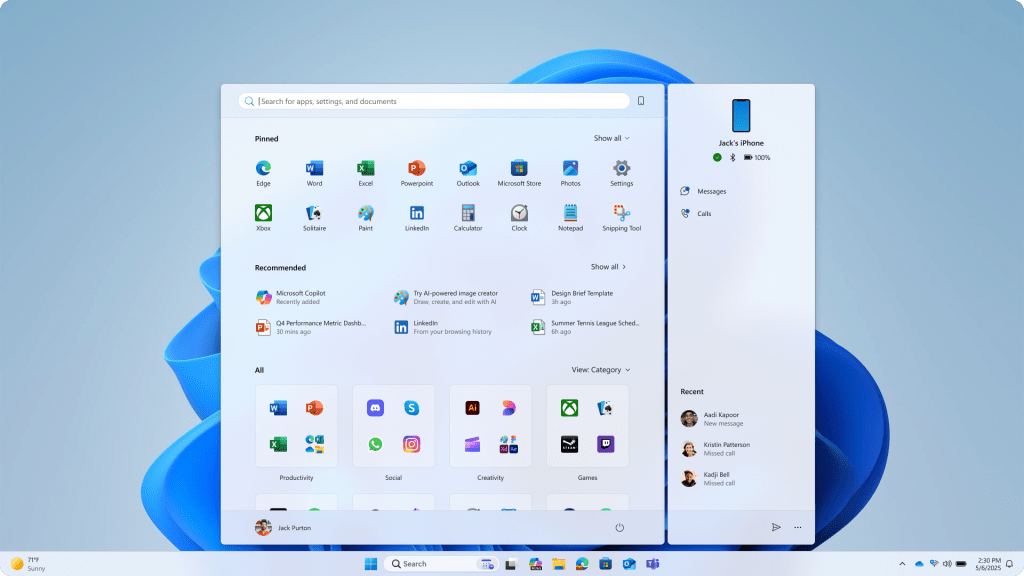
One potential factor is the way Windows 11 interacts with Cortana, even for users who have disabled it. Residual background processes may still be consuming resources, adding latency without clear benefit. Additionally, if Microsoft is experimenting with on-device AI to enhance search results—similar to its approach in Bing—it could explain why some queries feel sluggish while others do not.
Who Benefits from the Fix?
The solution, when it arrives, may not satisfy everyone. Power users who depend on instant file access will likely see the most immediate improvement. However, those who use Windows 11 for more complex tasks—like developer workflows or media production—may find that the underlying changes to search architecture introduce new constraints.
For enterprises, the delay could pose a bigger challenge. In environments where quick system navigation is critical, even a few seconds of lag can add up across teams. Microsoft’s fix may need to strike a balance between speed and the added features it wants to integrate, making this a long-term issue rather than a quick one.
Until then, users are left with a choice: live with the delay or revert to older search methods, like using the Start menu’s manual typing or third-party tools. The question remains whether Microsoft can address the core problem without sacrificing the very features that make Windows 11 feel modern.