A creator working from a café can now stretch their laptop screen across three displays, but the experience isn’t as seamless as it first appears. The latest triple-screen extender—designed to attach directly to a laptop’s HDMI or USB-C port—adds portability without sacrificing performance, though thermal and cable management become new challenges.
This device, aimed at professionals who need extra screen real estate on the go, plugs into a single output and fans out to three independent displays. It supports resolutions up to 4K on each screen, but in practice, heat dissipation and cable clutter can offset some of its convenience. For those who prioritize flexibility over a clean setup, it delivers on portability; for others, the trade-offs may not justify the upgrade.
At its core, the extender is a hardware solution to a software-driven need: more screen space without carrying multiple monitors. It works with Windows-based laptops and supports both USB-C and HDMI inputs, though users must ensure their laptop’s power delivery can handle the load. The unit itself weighs just over 200 grams, making it lighter than many standalone monitors but heavier when paired with three screens.
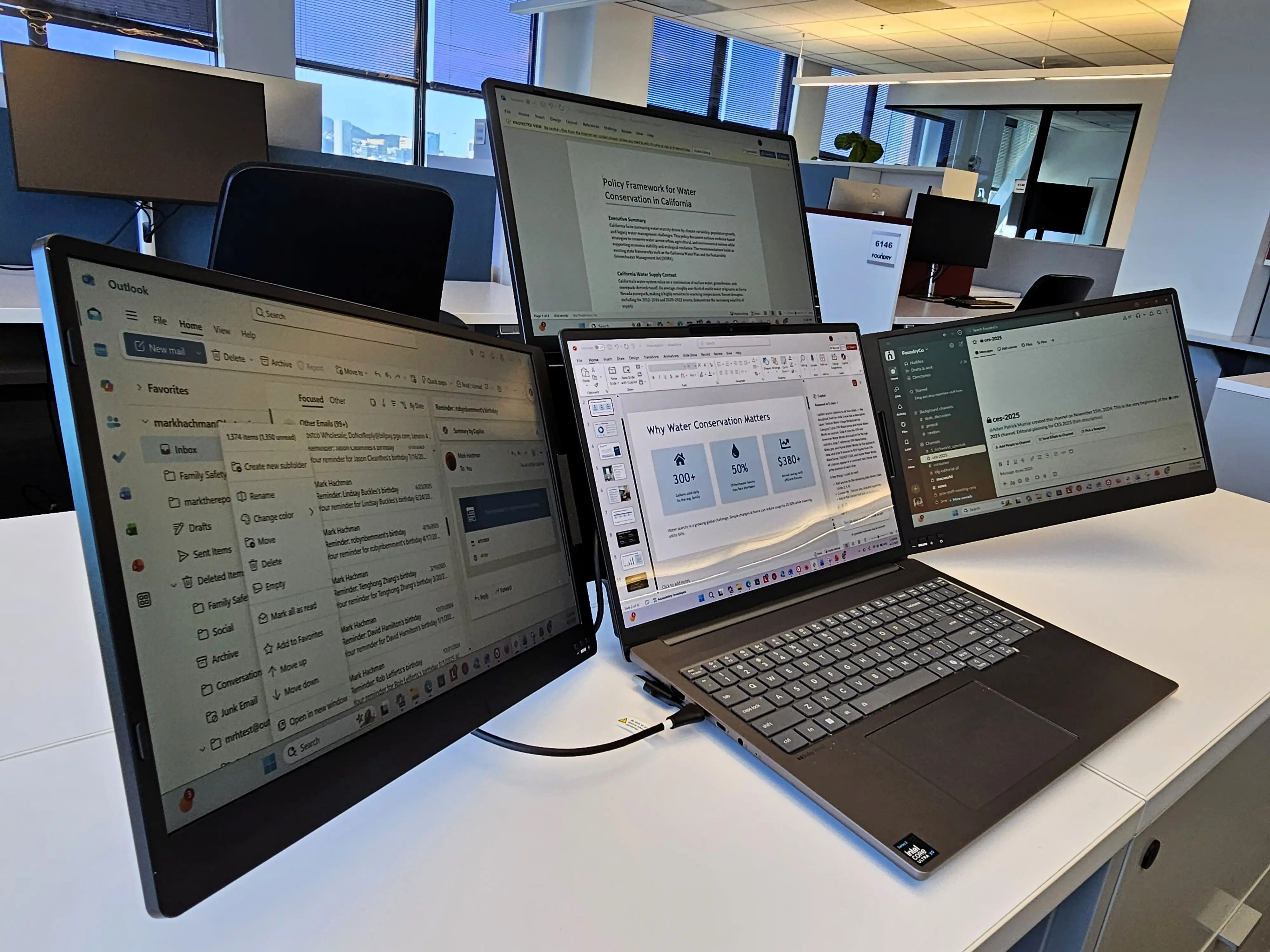
- Supports up to three 4K displays (60 Hz) via a single HDMI or USB-C connection
- Weighs approximately 200 grams—portable but adds bulk when screens are attached
- Requires external power and may draw significant wattage from the laptop’s USB-C port
- No built-in battery; relies on the laptop’s or an external power source
The real-world impact becomes clear in a typical workday. A video , for example, can now lay out reference footage, timelines, and color grading across three screens without moving their laptop more than a few inches. However, the heat generated by the extender—especially under sustained load—can make prolonged use uncomfortable if not properly ventilated. Cable management is another hurdle; three separate HDMI cables plus power can quickly turn a tidy workspace into a tangled mess.
Who stands to benefit? Freelancers and remote workers who frequently switch between cafés, co-working spaces, or home offices will find the extender’s portability invaluable. Those who already have a dedicated multi-monitor setup at their desk may not see enough of an advantage to justify the cost—especially if they don’t travel often. For creators who prioritize efficiency over aesthetics, this device delivers on its promise; for those who value a clean, cable-free environment, it’s a compromise worth noting.
Looking ahead, future iterations could focus on reducing heat output or integrating battery support to further ease portability. For now, the extender remains a solid choice for those willing to accept some practical limitations in exchange for flexibility.