Most users think of memory as a single, uniform component—something that simply holds data. In reality, modern computing relies on a layered ecosystem of memory types, each optimized for specific roles. These technologies vary dramatically in speed, cost, power consumption, and whether they retain data when power is lost. Understanding their distinctions isn’t just technical trivia; it explains why your gaming PC feels responsive, why a phone battery lasts days, and why upgrading RAM can transform performance.
The four foundational memory categories—Read-Only Memory (ROM), Dynamic Random Access Memory (DRAM), Static Random Access Memory (SRAM), and flash—represent a centuries-long evolution of trade-offs. No single technology can deliver both blistering speed and massive capacity at low cost, so systems combine them into a hierarchy. At the top sits SRAM-based CPU caches, offering nanosecond access times. Below that, DRAM provides the bulk of system memory, while flash and ROM handle long-term storage and firmware. Even the humble USB drive relies on flash, while your motherboard’s BIOS still uses a specialized form of ROM called EEPROM.
Why Memory Hierarchies Matter
Processors have outpaced memory speeds for decades, creating a bottleneck known as the ‘memory wall.’ To mitigate this, systems stack memory types by performance and cost. The fastest, most expensive SRAM sits closest to the CPU in caches, while DRAM serves as the primary workspace for applications. Flash and ROM handle persistence, ensuring data survives power loss without draining battery life. This hierarchy isn’t arbitrary; it’s a direct response to the physical limits of semiconductor technology.
For example, DRAM stores a single bit using a tiny capacitor and transistor, allowing dense, cost-effective chips—but the charge leaks over time, requiring constant refresh cycles. SRAM, by contrast, uses six transistors per bit for stability, making it faster but far more expensive per gigabyte. Flash bridges the gap for storage, offering non-volatility at a fraction of DRAM’s cost, though with slower speeds and limited write endurance.
The Four Pillars of Memory
1. Read-Only Memory (ROM): The Unchanging Backbone
ROM is the most stable form of memory, designed to retain data indefinitely without power. Unlike volatile DRAM or SRAM, ROM’s contents persist through reboots, making it ideal for firmware, bootloaders, and embedded systems. Historically, ROM was truly read-only, but modern variants like EEPROM and flash-based ROM allow limited updates. Even today, your PC’s BIOS/UEFI firmware resides in ROM, ensuring the system can initialize before loading the operating system.
The evolution of ROM reflects broader trends in computing: from Mask ROM (MROM), programmed during manufacturing, to EEPROM, which can be rewritten electrically. Each variant targets specific needs—MROM for mass-produced devices like game consoles, EEPROM for firmware updates in motherboards. The trade-off? Flexibility comes at the cost of complexity and higher per-bit pricing.
- Mask ROM (MROM): Factory-programmed, unchangeable. Used in early game cartridges and embedded systems.
- PROM: One-time programmable via fuse-burning. Rare today due to inflexibility.
- EPROM: Erasable with ultraviolet light. Legacy use in development boards.
- EEPROM: Electrically erasable, byte-level updates. Still used in BIOS chips and microcontrollers.
2. Dynamic Random Access Memory (DRAM): The Workhorse of Computing
DRAM dominates as the primary system memory in everything from smartphones to supercomputers. Its strength lies in density and cost: a DRAM chip can store gigabytes of data in a small footprint, far outpacing SRAM’s per-bit expense. However, this density comes with a critical flaw—DRAM is volatile. It requires hundreds of refresh cycles per second to maintain data, consuming power even when idle.
At its core, a DRAM cell consists of a capacitor and transistor. When a bit is written, the capacitor charges (for a ‘1’) or discharges (for a ‘0’). Over time, leakage drains the charge, so the memory controller periodically ‘reads’ each row to restore it—a process invisible to users but essential for stability. This refresh overhead is why DRAM, despite its speed, can’t match SRAM’s latency.

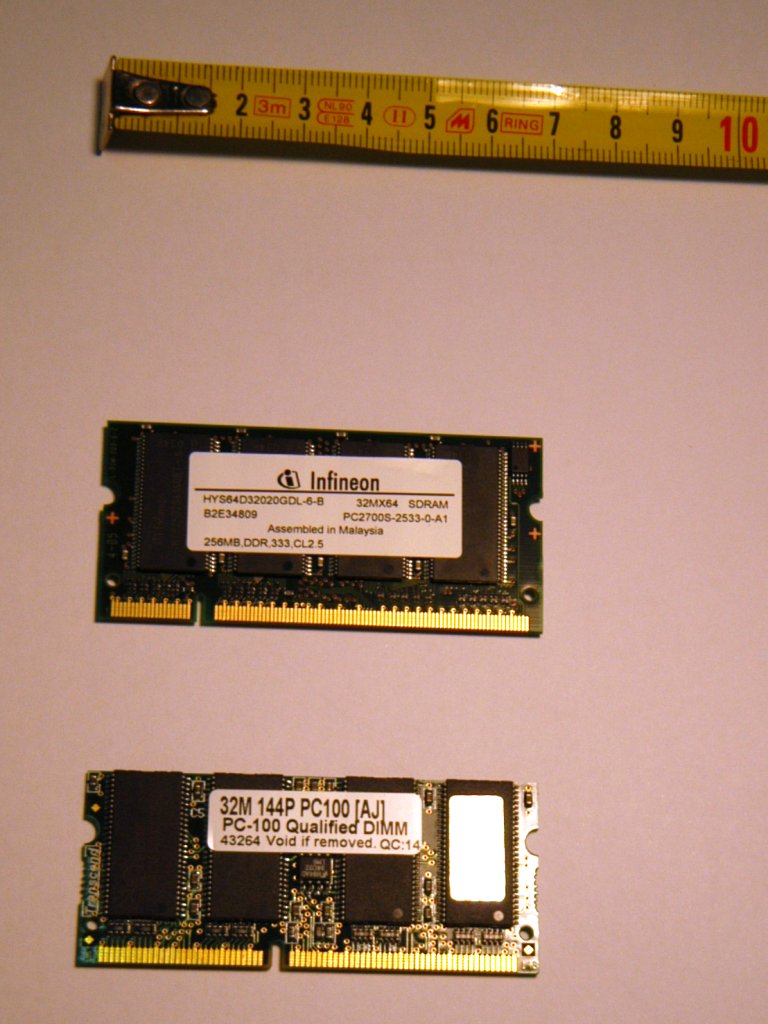
The transition from asynchronous DRAM to Synchronous DRAM (SDRAM) in the 1990s marked a turning point. SDRAM synchronizes with the system clock, enabling pipelined operations that double data rates. Modern standards like DDR5 (and the upcoming DDR6) build on this foundation, adding features like on-die ECC, faster data rates, and improved power efficiency. DDR6, expected in 2026, promises 80% lower power consumption and 50% higher bandwidth than DDR5, though adoption will hinge on motherboard and CPU support.
Memory timings—often seen as esoteric specs like ‘30-36-36-76’—dictate how quickly DRAM responds to requests. CAS latency (tCL) measures the delay between a read command and data availability, while tRCD and tRP govern row and column access times. Enthusiasts tweak these values to squeeze out performance, but real-world gains depend on the balance between speed and stability.
3. Static Random Access Memory (SRAM): Speed at a Premium
SRAM is the fastest memory in a system, used exclusively in CPU caches (L1, L2, L3) and high-speed buffers. Unlike DRAM, it doesn’t require refresh cycles because it stores bits using feedback loops of transistors—no charge leakage, no latency penalties. This stability comes at a cost: SRAM consumes six transistors per bit, making it 4–10 times more expensive than DRAM and far less dense.
Because of its speed, SRAM sits closest to the CPU, where it exploits data locality. Modern processors use multi-level caches (L1 < L2 < L3) to minimize trips to slower DRAM. For example, an Intel Core i9 might have 36MB of L3 cache, reducing memory latency for critical workloads. Without SRAM, CPUs would spend cycles waiting for DRAM—a phenomenon that would cripple performance.
4. Flash Memory: The Storage Revolution
Flash memory bridges the gap between volatile DRAM and persistent storage like hard drives. It retains data without power, offers high density, and is non-volatile—qualities that make it ideal for SSDs, USB drives, and embedded storage. Unlike DRAM, flash doesn’t require refresh cycles, but it suffers from slower write speeds and limited endurance (typically 3,000–100,000 program/erase cycles per cell).
Flash comes in two flavors: NAND (used in SSDs and memory cards) and NOR (used in firmware and execute-in-place applications). NAND dominates storage due to its density and cost, while NOR retains some ROM-like characteristics, allowing direct execution of code. Modern SSDs use 3D NAND, stacking cells vertically to increase capacity without expanding footprint.
How Memory Shapes Your System
The interplay between these memory types defines the performance of any device. When you launch an application, the OS loads it from flash-based storage into DRAM, where the CPU can access it quickly. Frequent data is cached in SRAM to avoid DRAM latency, while the BIOS relies on EEPROM to initialize hardware before the OS takes over. Even a smartphone’s app performance hinges on LPDDR (Low-Power DRAM) and flash storage balancing power and speed.
For power users, memory choices matter profoundly. A gaming PC with DDR5-6000 RAM and a fast NVMe SSD will outperform one with DDR4-3200 and an SATA drive—not just in raw speed, but in responsiveness. Data centers optimize for DRAM capacity and latency, while embedded systems prioritize low-power variants like LPDDR or SPI flash. The next leap—DDR6—could redefine high-performance computing, but its adoption will depend on ecosystem readiness.
Memory isn’t just a component; it’s the invisible architecture that enables modern computing. Whether you’re upgrading RAM, debugging a slow SSD, or marveling at how a smartphone boots in seconds, these technologies are the unsung heroes behind every interaction.