A text once so simple it was nearly invisible has become a security concern. Notepad, the default Windows utility that has remained largely unchanged for decades, now harbors a serious flaw—one that could allow attackers to run harmful code simply by opening a carefully crafted file.
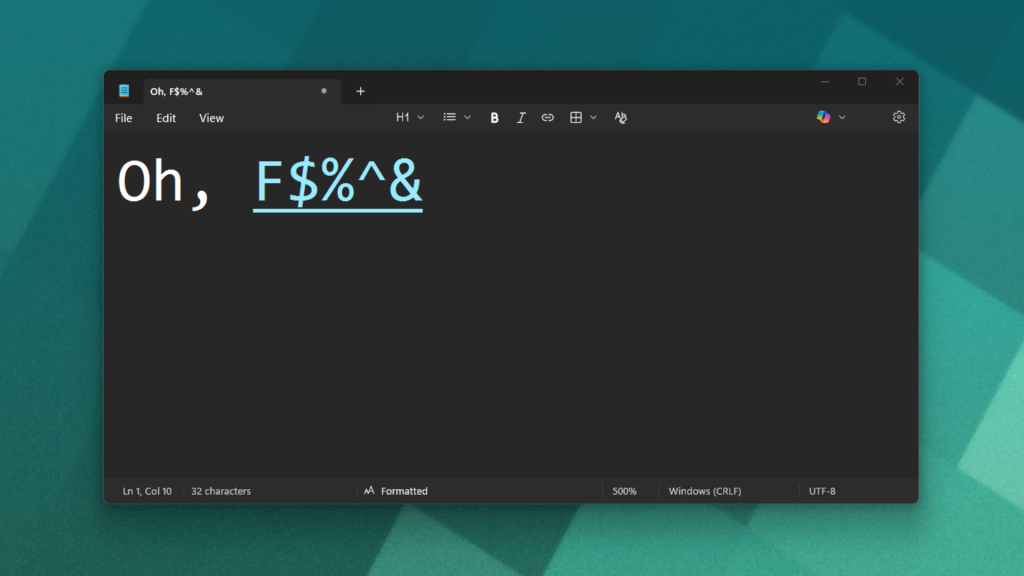
The issue stems from Notepad’s newly added Markdown support, introduced in July 2025. While the feature was designed to let users format text with basic styling, it also enables a remote code execution vulnerability. The flaw, rated with a CVSS score of 8.8/7.7, means a malicious Markdown file could trigger unauthorized downloads and execute code with the same permissions as the user’s account—all without warning.
This isn’t a theoretical risk. Microsoft has acknowledged the vulnerability in an internal security bulletin, though no patch has been released. The attack would require tricking a user into opening a compromised file, but the potential consequences—if exploited—are significant.
For years, Notepad’s simplicity was its strength: it couldn’t run scripts, process macros, or fetch external content. But with features like Markdown, AI-assisted editing via Copilot, and deeper integration with modern workflows, the has grown far more capable—and far more vulnerable. The trade-off for convenience is now a security risk that users must account for.
How the Attack Works
The exploit relies on a Markdown file containing a link that doesn’t just point to a webpage but instead triggers a hidden command. When opened in Notepad, the link could automatically download and execute malicious software. The process requires user interaction—no remote exploitation is possible—but the barrier is low enough to make it dangerous in the right scenario.
Limitations and Safeguards
There are reasons to remain cautious but not panicked. The attack isn’t automatic; it demands a user to open a suspicious file. Microsoft’s long-standing advice—avoid downloading files from untrusted sources—still applies. However, the risk isn’t limited to Notepad. Other text editors, including popular third-party tools, have faced similar compromises in recent years, proving that even open-source alternatives aren’t immune.
What Should You Do Now?
- Exercise caution with file downloads: Only open Markdown or text files from trusted sources. If a file seems unusual—even if it’s labeled as a simple document—verify its origin before opening it.
- Consider alternatives for sensitive work: For tasks involving untrusted files, use a dedicated code or sandboxed environment to minimize risk.
- Stay updated: Microsoft has not yet released a fix, but monitor official channels for patches or workarounds as they become available.
Notepad’s evolution reflects a broader trend: as tools become more powerful, their attack surfaces expand. The lesson isn’t to abandon modern features but to recognize that even the most familiar utilities can harbor unexpected risks. For now, the best defense is vigilance.