The best monitor arms don’t just hold a screen—they transform how you work. A good one clears desk clutter, adjusts effortlessly, and lasts decades without wobbling. The wrong one? A $200 paperweight with sharp edges.
After testing arms across price points—from $30 plastic jobs to $600 sculpted office furniture—three stand out for reliability, adjustability, and sheer polish. The rest? Either overkill, underwhelming, or both.
For most people, the Ergotron LX Pro is the only arm you’ll ever need. It’s the rare product that checks every box: a 10-year warranty, a clamp wide enough to protect weak desks, and adjustments that feel like they’re from a Swiss watchmaker. The 34-inch weight limit covers 99% of monitors, and the 13-inch lift lets you raise a 27-inch panel to eye level without strain. At $209, it’s not cheap—but it’s the last monitor arm you’ll buy.
That said, not everyone needs (or wants) a 10-year investment. For those who prioritize savings over longevity, the MSI MAG MT201 delivers surprising sturdiness at a fraction of the cost. It supports up to 49-inch screens (though few monitors hit that weight), and its spring tension holds a 32-inch panel steady without gasping. Setup takes longer than premium arms—about 20 minutes of screwing and aligning—but once installed, it swivels and tilts smoothly. At $79 on sale (often dropping to $49), it’s the minimum viable monitor arm. Spending less risks flimsy plastic that snaps under a 24-inch monitor’s weight.
If you’re torn between practicality and aesthetics, the Herman Miller Flo bridges the gap. It’s the only arm that feels like it belongs in a mid-century modern showroom, with smooth curves instead of industrial angles. The 13.3-inch lift and 80-degree tilt rival the Ergotron LX Pro, but the real win is the VESA mount—it clips onto monitors with recessed mounts that stump competitors. At $295, it’s twice the price of the LX Pro, but the build quality and warranty (12 years!) justify the splurge for those who treat their workspace like a gallery.
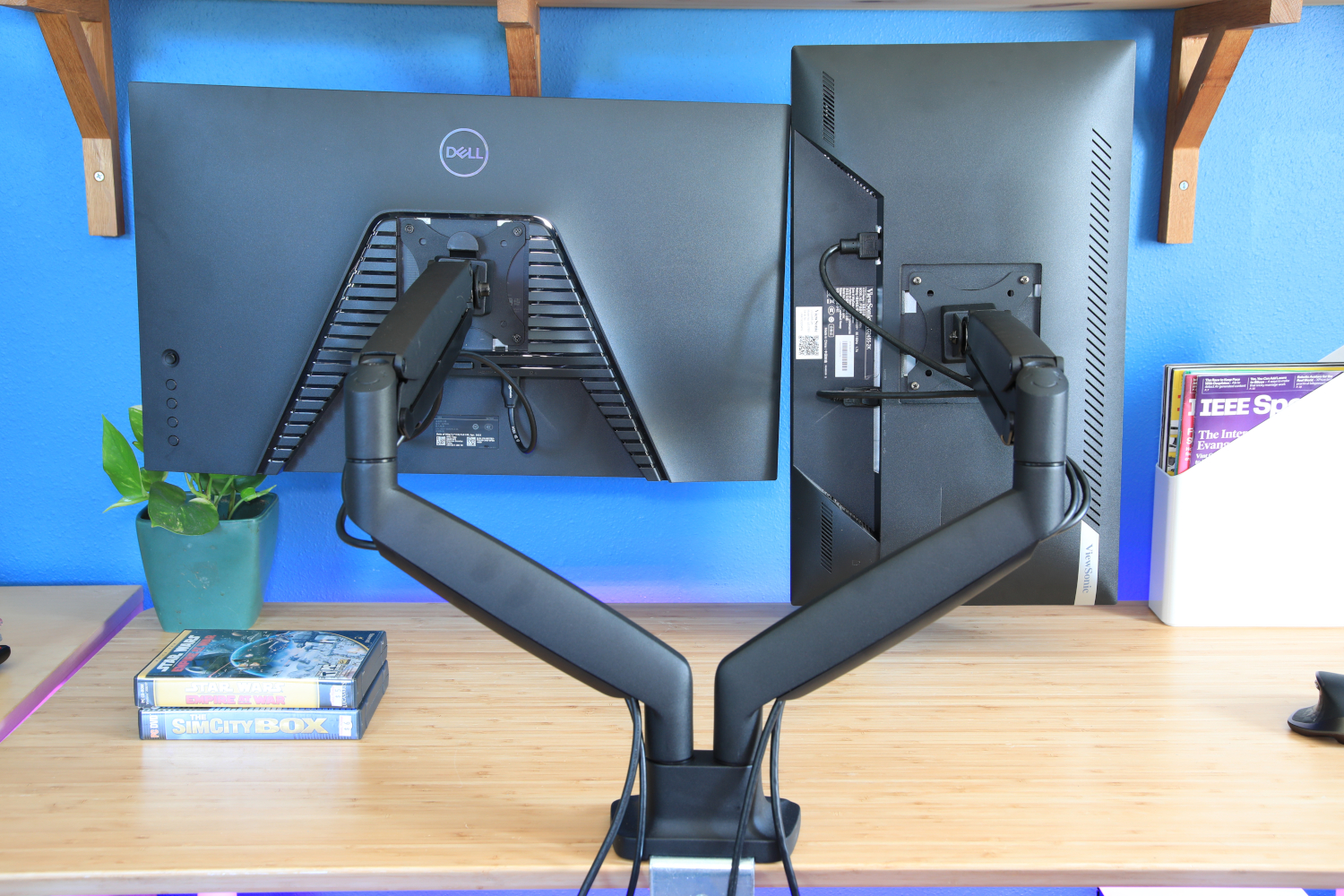
Dual monitors? Ergotron’s LX Side-by-Side is still the gold standard. It’s two LX Pros joined at the base, with the same 10-year warranty and effortless adjustments. The only trade-off is a 27-inch size limit per screen—no stacking two 32-inch ultrawides side by side. For budget dual setups, Monoprice’s Workstream arm ($100) cuts the cost in half, though setup is fiddly and the plastic cladding feels less premium. If you want mid-range quality without the Ergotron price tag, Huanuo’s HNDS12 ($140) delivers all-metal construction and a built-in USB hub—though the gas springs need tweaking for lighter monitors.
At the luxury end, Clearspace’s Uni-2 ($600) redefines dual-monitor arms with independent sliders for each screen. It’s easier to adjust than Humanscale’s M8.1 and looks less corporate, but the optional SmartDock ($650) is a misfire—missing 4K 60Hz and 2.5Gbps Ethernet for the price. For heavy-duty needs, the Ergotron HX ($350) handles 42-pound monitors with ease, though its 11.5-inch lift feels limiting compared to lighter arms. If you’re mounting a 38-inch ultrawide, though, it’s the only arm that won’t sag.
What to avoid? MSI’s MPG MT201R ($130) is overbuilt for most needs, and its RGB lighting feels gimmicky. Huanuo’s TitanLift ($90) is sturdy but lacks the refinements of its cheaper sibling. And any arm under $50 will either wobble or require constant tightening—unless you’re mounting a 10-inch tablet.
Bottom line: Spend $200 on the Ergotron LX Pro and you’ll never look back. Need something cheaper? The MSI MAG MT201 is the best value. Want to make your desk look like a design magazine spread? The Herman Miller Flo is worth the upgrade. And if you’re dual-monitoring on a budget, Monoprice’s Workstream arm is the only reasonable option.
One last tip: Always check your monitor’s VESA size before buying. A mismatch can void warranties or leave you with a useless clamp.