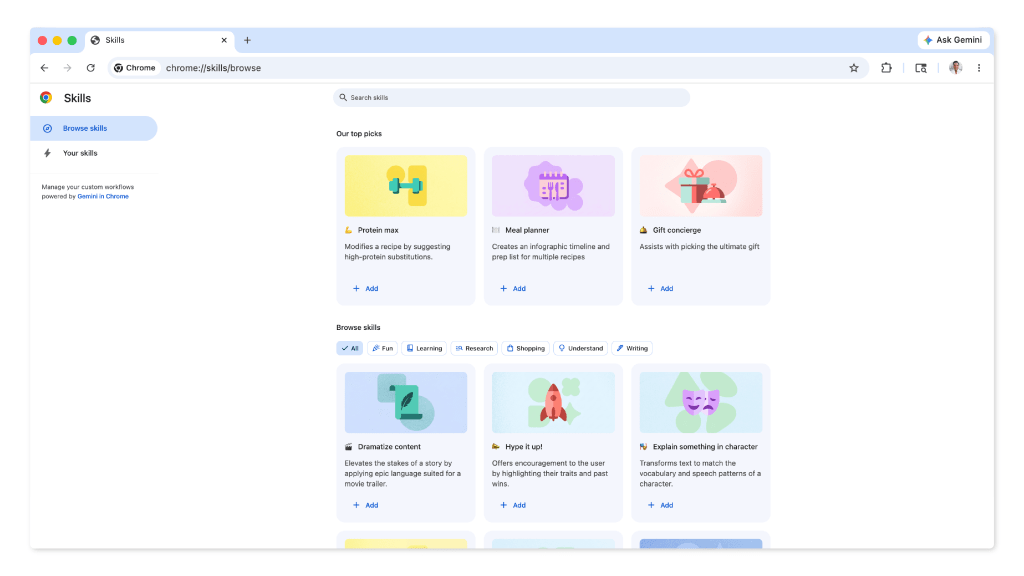
Gemini’s latest update introduces Skills, a system that saves and retrieves AI prompts in seconds—no manual typing required.
The change matters most for developers and power users who rely on Gemini for coding, data analysis, or scripting. By storing snippets like 'Explain this code' or 'Generate a SQL query', the feature promises to shave hours off repetitive workflows. Yet whether it lives up to that promise depends on how seamlessly it fits into existing habits.
What ‘Skills’ actually does
Previously, reusing prompts meant copying and pasting or memorizing exact phrasing. Now, users can tag a prompt with a name—say, 'Debug Python'—and pull it up instantly from the chat interface. The system remembers formatting, variables, and even multi-step sequences.
- Storage limit: 50 Skills per user (expandable via API).
- Sync status: Cross-device sync is available for paid accounts; free users see a local-only version.
- Versioning: Each Skill keeps a revision history, so edits don’t overwrite the original.
A reality check
The feature shines in structured tasks—like generating boilerplate code or parsing logs—but may feel less useful for open-ended prompts. There’s also no built-in way to share Skills between accounts, which could limit team collaboration.
Why it’s a cost-saving move
For developers, the payoff is clear: fewer keystrokes mean faster iteration and lower cognitive load. A single saved prompt for 'Optimize this function' could replace minutes of trial-and-error every time. Over a project, that adds up to measurable time—and potentially budget—savings.
Yet adoption hinges on two factors: how intuitive the UI is and whether Google pushes it beyond technical niches. If Skills becomes a staple in coding workflows, it could redefine how AI tools handle repetitive tasks—not just for Gemini, but across the industry.