Windows 11 is getting a handful of understated but practical upgrades in the latest preview builds, with one feature in particular standing out: a direct integration of internet speed testing into the taskbar. No third-party tools or browser detours required—just a right-click away.
This isn’t just a gimmick. For users who frequently troubleshoot laggy connections or monitor ISP performance, the change could streamline a common frustration. The test launches in the default browser and measures speeds for Ethernet, WiFi, or mobile data, all without leaving the desktop.
But the taskbar isn’t the only area seeing refinements. Microsoft has also adjusted how multiple app windows are handled when the taskbar is uncombined, preventing unnecessary overflow clutter. Only windows exceeding visible space now spill into the overflow menu, making multitasking slightly more intuitive.
A Taskbar That Works Smarter
Beyond the speed test, the latest builds (KB5077241) introduce
- Built-in speed test: Accessible via right-click on the network icon or quick settings panel. Tests Ethernet, WiFi, and cellular speeds in-browser.
- Improved window management: Apps with multiple windows no longer dump all instances into overflow by default—only those exceeding taskbar space are hidden.
- Camera controls: New pan-and-tilt adjustments for built-in webcams, useful for video calls or streaming.
- Sysmon support: Native integration of Microsoft’s advanced system monitoring tool for security and diagnostics.
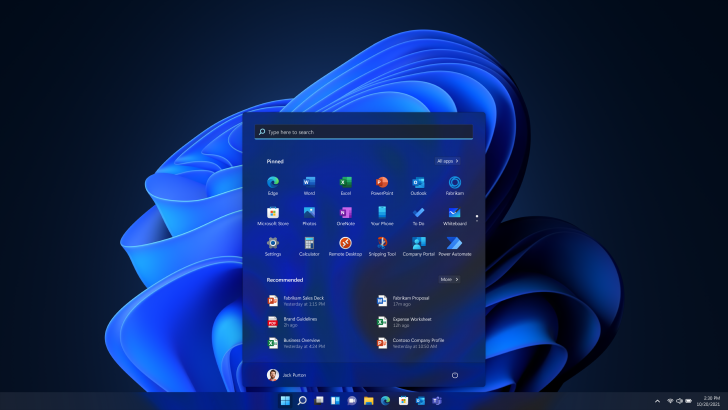
- Start menu tweaks: Subtle layout refinements to improve usability.
- File Explorer fixes: Stability and navigation improvements across system files and folders.
The speed test alone could save power users time, especially those who rely on stable connections for work or gaming. The window management change, while minor, addresses a long-standing quirk in uncombined taskbar setups. For most users, these updates won’t feel revolutionary—but they’re the kind of polish that makes an OS feel more responsive over time.
Availability remains limited to the Release Preview Channel for now, with no confirmed timeline for broader rollout. Still, if past patterns hold, these tweaks will likely trickle down to stable builds as Microsoft fine-tunes the experience.